A black tablet screen feels worse than it looks. Your Tab might still make sounds during startup. You might even feel vibration from button presses. Yet the screen stays dark.
A Samsung Tab Display Problem has several causes. Some involve charging or temporary software errors. Others involve the screen or internal parts. A fall can also damage the display.
Start with simple checks before seeking repair. This saves time and avoids needless part changes. Samsung also recommends checking power and restarting first.
Common Reasons Your Samsung Tab Screen Fails
The screen does not always fail because the glass breaks. A weak battery might cause a blank screen. A software crash might also stop the display. Physical damage needs a closer check.
- Low Battery: A drained battery might stop screen startup.
- Charging Fault: A bad cable might prevent proper charging.
- Software Glitch: A frozen system might leave your screen black.
- Screen Damage: Drops might damage the display inside.
- Internal Fault: A damaged part might stop screen output.
These checks give you useful clues. Do them before opening your tablet. Avoid pressing hard on a damaged screen.
What To Check When Your Samsung Tab Goes Black
Check The Charger And Cable
Use the correct charger for your Tab. Check the cable for cuts or bent ends. Make sure the plug fits firmly inside. Charge the tablet for at least one hour. Samsung recommends checking the power before deeper repair.
Try A Forced Restart
A frozen system might cause the black screen. Press Power and Volume Down together. Hold both buttons for about twenty seconds. Release them after the tablet restarts.
Some models use different button names. Your exact model might need different steps. Samsung lists this restart method for blank screens.
Look For Physical Damage
Check the glass under bright light. Look for cracks near corners and edges. Also check for bends around the body. Liquid damage deserves extra care too.
Do not keep charging a wet tablet. Liquid inside might damage electrical parts. Samsung advises checking both liquid and physical damage.
Samsung Tab Display Problem Signs To Watch
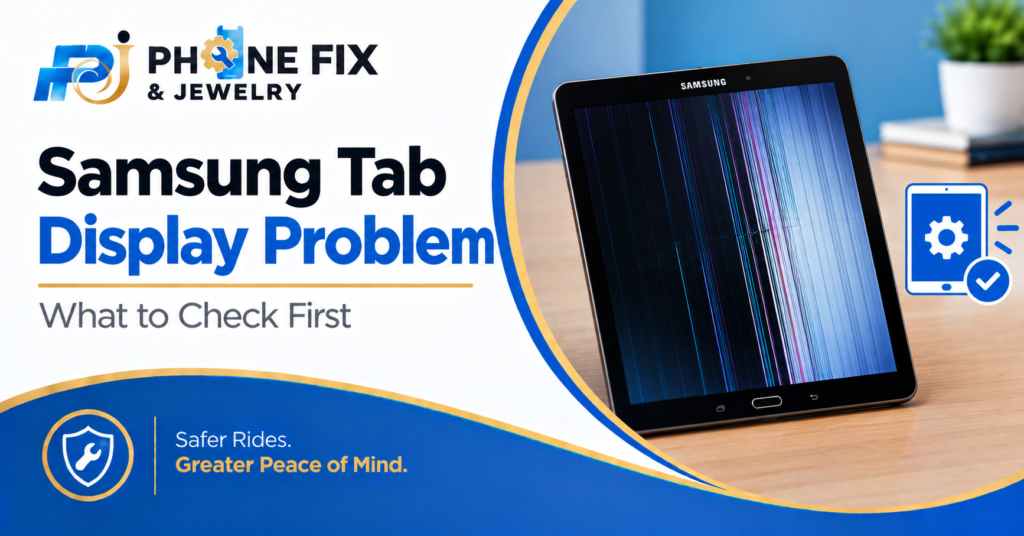
Different screen faults create different signs. Your Tab might show a black screen. It might show lines or strange colors. Touch might stop working in some areas.
- Black Screen: The Tab runs but shows nothing.
- Flickering: The picture keeps flashing or jumping.
- Lines: Vertical lines might point toward screen damage.
- Dim Screen: A failed light layer might reduce brightness.
- Dead Touch: The picture works, but touch stops responding.
Samsung lists software and hardware causes for display issues. Updates and physical damage both deserve checks.
Samsung Tab Display Problem After A Drop
A drop might damage the screen without breaking the glass. The internal display layer might still suffer damage. A loose internal connection might also cause trouble.
Check For Cracks
Look closely around the whole display. Small cracks might hide near the edge. Use a lamp for better visibility. Do not press hard on damaged glass.
Watch For Lines
Lines often point toward display trouble. One line might stay in one place. More lines might appear after further damage. Samsung also lists damaged screens among display causes.
Check Touch Response
A working picture does not prove everything works. Touch might fail after screen damage. Open a simple app to see if touch still responds. Test several areas across the display.
Samsung also provides touchscreen checks through Samsung Members.
Simple Checks Before Tablet Repair
A Samsung Tab Display Problem needs careful testing. Do not assume you need a new screen. Start with the easiest checks first.
- Charge First: Give the tablet enough charging time.
- Restart It: Hold Power and Volume Down together.
- Remove Accessories: Take off covers blocking buttons.
- Check Damage: Look for cracks and signs of liquid.
- Try Software Checks: Update software if the screen works.
These steps work best when your Tab responds. A completely dark screen needs more testing. Do not reset your Tab without saving important files.
Could A Software Bug Cause The Screen Problem?
Yes, software faults sometimes affect display behavior. A frozen system might leave the screen blank. An app might also cause display problems. Updates sometimes fix known software bugs.
If your screen works again, check for updates. Open Settings and select Software Update. Then check for available updates. Samsung also recommends updating apps. Outdated apps might cause display problems too.
What If The Screen Flickers Or Shows Lines?
A Samsung Tab display problem might start with flickering. The screen might flash during normal use. You might also notice colored or dark lines. Samsung lists physical damage and software bugs. Display settings might also affect screen behavior.
Try restarting your Tab first. Then check for system updates. If flickering continues, seek hardware testing. Do not press the screen to stop flicker. Pressure might worsen internal screen damage.
When Your Tab Needs Professional Repair
Some display faults need proper repair tools. This applies when basic checks fail. It also applies after drops or liquid exposure.
A technician can test the display assembly. They can also check charging and internal parts. This helps avoid replacing the wrong part.
A Samsung Tab display problem might need screen replacement. Another Tab might need charging work instead. Some units need software service rather than screens.
A proper check tells you what happened.
How Much Does Samsung Tab Screen Repair Cost?
Repair cost depends on your Tab model. Screen size also affects the repair price. The type of screen matters too.
A basic Tab differs from an S series. Older models might also have cheaper parts. A cracked glass layer might need different work. A damaged display might need full replacement.
Get the exact price after inspection. Avoid guessing based on another Tab model. Phone Fix & Jewelry provides a quote before repair.
Should You Replace The Screen Or Tablet?
A damaged screen does not always mean replacement. Your Tab might still have many good years. Repair makes sense when the rest works well.
Older tablets need a cost comparison first. Compare repair cost with another working Tab. Also consider your stored photos and files.
Do not erase your data before testing. A repair shop might recover access first. Keep your account details available for testing.
How Phone Fix & Jewelry Helps With Samsung Tab Repairs
Phone Fix & Jewelry provides tablet repair in Alexandria. The shop works on Galaxy Tab devices. Their tablet service covers screen damage and batteries. They also repair charging ports and software faults.
The shop offers a free tablet inspection. You receive pricing before repair work begins. The team tests the tablet after repair. They check touch, cameras, speakers, and charging.
Written warranty coverage comes with repairs. The shop is at 504C S Van Dorn St. The location is in Alexandria, Virginia 22304. Call (703) 328- 0514 before visiting. Same-day service applies to many repairs.
Conclusion
A Samsung Tab display problem has several possible causes. Start with charging and a forced restart. Then check cracks and other damage. Software issues also deserve attention. Do not replace parts without proper testing. Phone Fix & Jewelry handles Galaxy Tab repairs. Call (703) 328- 0514 for a tablet check.
FAQs
Why is my Samsung Tab screen black?
A Samsung Tab display problem might come from charging trouble. Software freezes and screen damage also cause black screens. Try charging and restarting before booking repair.
How do I restart a Samsung Tab?
Hold Power and Volume Down together. Keep holding for about twenty seconds. Release both buttons after the tablet restarts. Button names differ across some models.
Why does my Samsung Tab screen flicker?
Flickering might come from software bugs or damage. Outdated software might also cause display trouble. Restart the Tab and check for updates first.
Can a cracked Samsung Tab screen stop working?
Yes, screen damage might stop the picture or touch. Internal display parts might suffer damage after drops. A repair shop should check the screen.
Does Phone Fix & Jewelry repair Galaxy Tab screens?
Yes, Phone Fix & Jewelry repairs Galaxy Tab screens. The shop also handles batteries and charging faults. Call (703) 328- 0514 for model-specific pricing.