
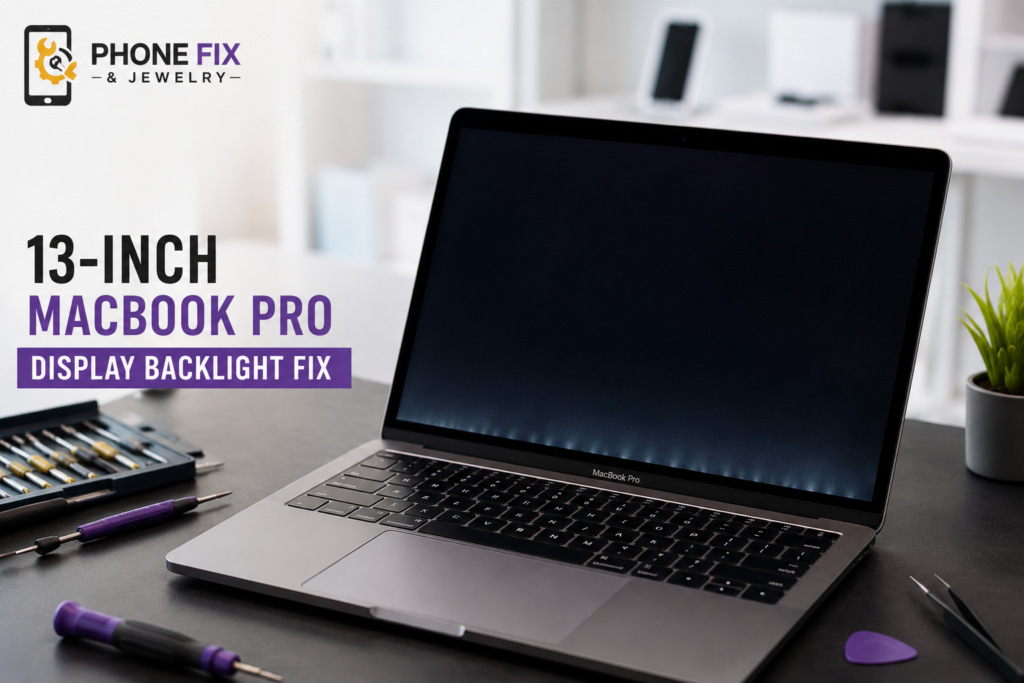
Have you opened your laptop screen only to find a dark image, or have you been staring at a black screen while the keyboard lights up? The 13-inch MacBook Pro display backlight often stops working due to fragile hinge flex cables. This mechanical defect creates dark spots or completely kills screen brightness.
Most users struggle because Apple built tight display assemblies that trap delicate parts inside. Fixing this requires proper hardware testing and careful component handling. This complete guide explains common screen faults and reliable repair paths today.
Major Causes of Display Backlight Failure
Many laptop display screens stop shining after years of regular daily use. Opening and closing the lid creates friction across delicate hidden internal wires.
- Worn Ribbon Cables: Repeated lid movement tears fragile backlight wires routed inside laptop display hinges.
- Blown Backlight Microchips: Electrical surges on logic board chips destroy high-voltage power feeding output circuits.
- Liquid Corrosion Contact: Water spills short display board connectors and burn out critical surface-mounted components.
- Corrupted System Settings: Glitched display brightness settings occasionally block power output to screen light diodes.
- Accidental Physical Impacts: Hard drops fracture internal glass layers and tear microscopic power traces off boards.
Key Symptoms of a Failing Backlight
Backlight failures show clear physical signs before the display screen turns totally black. Spotting these early signs saves processing hardware from further electrical damage.
Stage Light Effects Along Bottom Screen Edge
Dark vertical bands appear across bottom display edges like stage footlights. Individual screen lighting diodes lose continuous power connections as ribbon wires start cracking near hinges.
Screen Cuts Out at Specific Opening Angles
The screen works fine at ninety degrees but turns black when opened wider. Stretched internal flex cables pull away from logic board connectors at wide lid positions.
Screen Stays Black While Computer Operates Normally
Keyboard keys light up and system sound effects play, but the screen stays dark. High-power flashlights held near the glass reveal faint desktop image shadows showing active computing.
Ways to Test Display Backlight Health
Testing your laptop display helps locate exact hardware points causing power failures. These quick diagnostic steps show if your computer’s mainboard works.
- Flashlight Angle Test: Shine bright light onto dark glass to check for faint hidden desktop icons.
- External Monitor Connection: Plug in external screens via USB cables to confirm logic board output works.
- SMC Control Reset: Reset system management settings to clear broken software screen brightness commands.
- Lid Movement Angles: Open lid slowly while watching for sudden display light flickering or cutouts.
- NVRAM System Flush: Clear deep system memory registers to eliminate corrupt startup display profile files.
Official Apple Programs and Local Service Fixes
Screen owners can choose factory recall programs or local expert technician repairs. Understanding support options saves time and heavy repair costs.
Free Apple Service Program Coverage Rules
Apple ran a global 13-inch MacBook Pro display backlight service program for select 2016 models. Affected systems sold between 2016 and 2018 received free display replacement for up to five years. Most official coverage windows under the 13-inch MacBook Pro display backlight service program – Apple Support guide have expired.
Independent Workshop Micro Soldering Fixes
Private repair shops fix broken flex cables by soldering new wire extensions. This direct component repair saves money because shops avoid replacing whole expensive display units. Certified technicians rebuild cracked traces while keeping original factory glass intact.
Complete Screen Assembly Replacement Options
Installing new original screen assemblies resolves all display backlight failure modes instantly. Technicians swap entire upper metal lids when internal flex cables tear beyond component micro-soldering fixes. New assemblies restore full display brightness instantly.
Repair Costs and Service Timeline Expectations
Out-of-warranty screen repairs through official channels cost between four hundred and seven hundred dollars. Independent repair centers charge between two hundred and four hundred dollars depending on exact model years and component replacement steps. Most local hardware fixes take one to three hours when parts stay stocked.
Understanding Hardware Design Faults
Apple engineered the 2016 to 2019 laptop generation with thin display frames. To keep lids thin, engineers ran flex cables around hinge pins. Every time you lift your screen, these cables flex under tension. Over time, metal copper lines inside plastic flex layers fatigue and snap.
When flex lines snap partially, current drops drastically. You see dark patches at screen bottoms. When flex lines break completely, all display lights go dark instantly. Models built with Apple M1 chips can also experience display lighting failures due to shorted logic board components. Finding a proper 13-inch MacBook Pro display backlight fix means dealing with these physical design limits directly.
Software Troubleshooting Steps Before Hardware Repair
Before spending money on hardware replacement, perform basic system resets. Software glitches occasionally trick power systems into cutting display light.
- Shut down your laptop completely.
- Hold the Shift, Control, and Option keys on the left keyboard side along with the power button.
- Hold all four keys down for ten full seconds.
- Release all keys together and press the power button normally.
If your 13-inch MacBook Pro display backlight not working problem stems from corrupted power management files, an SMC reset clears display power controls instantly. For system memory clears, hold the Command, Option, P, and R keys together right after powering on until the boot chimes play twice.
How Phone Fix & Jewelry Can Help
Phone Fix & Jewelry offers fast professional laptop repair solutions right here in Alexandria, VA. We specialize in fixing broken screen displays, micro-soldering cracked flex cables, and replacing burned logic board chips. Our experienced technicians diagnose dark screen issues fast while you wait at our Van Dorn shop. We test every touch screen, display angle, and power circuit thoroughly before you hand over any payment. Every laptop service includes a full written warranty on parts and labor for your peace of mind. Check our smartphone repair services or visit our store at 504C S Van Dorn St or call us at (703) 328-0514 today for immediate help.
Conclusion
Display backlight failure stems from worn internal cables or damaged circuit components. Testing with external monitors confirms if your internal mainboard remains fully functional. While official MacBook Pro recall programs for 13-inch models have ended for older models, local expert repair shops fix display screens fast. Contact trusted local technicians to restore bright display performance without overpaying.
FAQs
Does the MacBook Pro have a backlit keyboard?
Yes, every MacBook Pro features a built-in backlit keyboard and an illuminated Retina display panel designed for clear viewing in dark rooms.
How much does it cost to fix the backlight on a MacBook Pro?
The MacBook Pro backlight repair cost ranges from two hundred dollars at independent shops up to seven hundred dollars for complete factory display panel replacements.
How do I turn on the backlight on my MacBook Pro?
Open System Settings, click Keyboard options, and adjust the brightness slider, or press the screen brightness keys located along the top function row.
Why is my MacBook Pro screen so dark on full brightness?
A worn display flex cable, damaged backlight chip, or blown logic board fuse prevents power from reaching display lighting diodes.
My MacBook Air’s backlight isn’t working. How can I fix it?
Reset your computer’s SMC settings, check brightness controls, or bring your device to local technicians for hardware display cable testing.