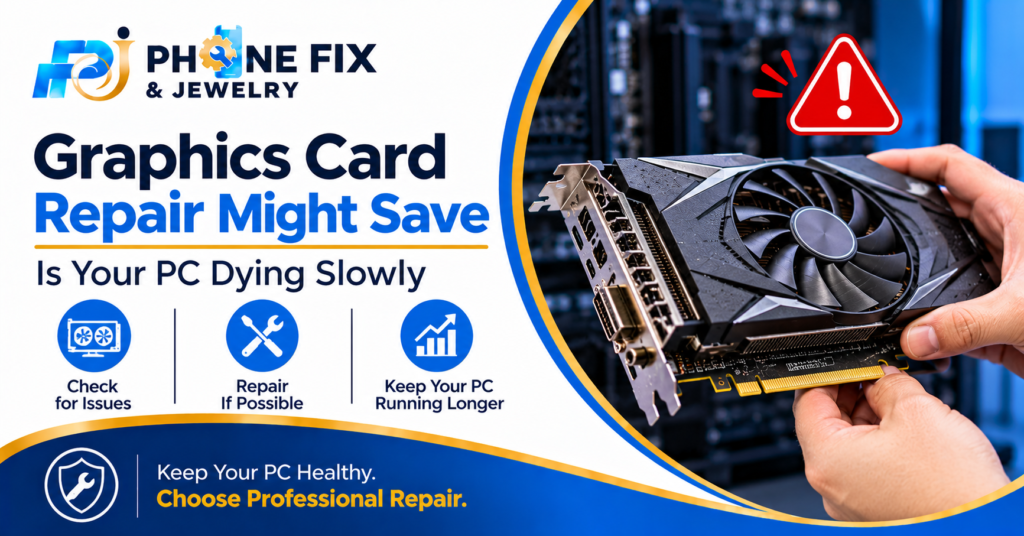
Have you ever seen colored squares on your screen? A flickering display ruins games and work. Graphics card repair sounds scary, but it often works. Most people panic and buy a new card. Dust and old solder cause many failures. Heat slowly breaks the tiny joints on the board.
Many shops guess instead of testing. I’ve seen dead cards come back to life. This guide shows the signs and the tests. You will also learn when to fix or replace.
Warning Signs Your Graphics Card Is Dying
Cards rarely die without a warning. They give small hints first. Spot them early and graphics card repair costs less. Wait too long and the board takes more damage. Some faults look scary but turn out simple. Others look small and hide a bigger problem. These five signs show up most often at the shop.
Colored Squares: Boxes or stripes pop up across the screen. They dance when you move the mouse. This points to weak video memory or a tired chip. Games make it worse.
Black Screen With Spinning Fans: The PC starts and the fans spin. The monitor shows nothing. Try another cable first. Still black? The card needs video card repair. Don’t keep rebooting it.
Random Crashes: Games close without a warning. Windows shows a device removed message. Sometimes the entire PC restarts. It is essential to fix graphics card bugs.
Loud Fans or a Burning Smell: Loud fans can occur on the desktop. A smell of burning indicates that a component has failed. You should turn off the PC and call a GPU repair service.
Screen Freezes at Startup: The screen is frozen before appearing on the login screen. Safe mode may be functional, indicating a driver or GPU issue. Check both.
Why Graphics Cards Break Down
A graphics card works hard. Every frame makes the chip hotter. Over the years, heat wears the board down. Dust and weak power make it worse. Knowing the cause helps you pick the right fix. Three causes show up again and again. Heat is the biggest one. Most dead cards fall into one of them. Each points to a different repair.
Heat and Dust
Dust blocks the fans and coats the heatsink. The chip then runs much hotter. Old thermal paste dries out after a few years. Heat slowly cracks the tiny joints under the chip. A clean card lasts longer. Check your fans every few months. Graphics card repair often starts with a deep clean. It also needs fresh paste. This costs little and fixes more than you’d expect.
Weak Solder Joints
Tiny solder balls hold the main chip in place. The gap under it is about 0.1mm. Dust and damp air get trapped there. Heating and cooling crack the joints over many months. Then the signal drops and the screen goes black. Reballing swaps the old balls for new ones. It needs a special machine and a steady hand.
Power Problems
A weak power supply stresses the card. Loose cables cause sudden shutdowns. A cheap adapter makes things worse. Heavy cards also sag and bend the board. This stress cracks parts you never see. Check every cable. Add a support bracket to big cards. A ten-dollar bracket beats a dead board.
Quick Checks Before You Pay for Repair
Spend ten minutes on these checks first. Some faults are a loose cable or an old driver. Others prove the card is dead. Either way, you reach the shop with facts. It saves time and money. I tell every customer to try these. None needs special tools. Write down what you see on screen.
Swap the Cable and Monitor: Try a different cable and a different port. Test another monitor, if you have one. On a laptop, try an external monitor. If that works, it’s the laptop panel.
Reseat the Card: Remove the pc card, making sure the pc is powered down and disconnected. Remove and reinsert the card. Make sure you reconnect all the power leads. A lot of pc video problems are caused by a bad contact.
Clean the Dust: Blow the dust off the fan and heatsink with a can of compressed air. Give the fan a spin while you do this. Long spinning reduces the life of the bearing.
Reinstall the Driver: Uninstall the driver in safe mode. Reinstall the driver from the manufacturer. A faulty driver can make a card appear dead. Always check this
Test in another PC: Test your card in a friends pc. Same problem means the card is faulty. Most pc shops can repair a faulty VGA card at a board level.
What Happens Inside the Repair Shop
Many people think repair means magic. It doesn’t. A tech follows clear steps. Graphics card repair starts with testing. It ends with a long stress run. Each step has a reason. Knowing them helps you spot a careless shop. Good shops show you the test results. Skip shops with no testing step. Ask what they test first.
Testing Comes First
The tech checks the board with a meter. They look for burnt parts and shorts. Then they test the card on a bench PC. A shop shouldn’t touch solder before this step. Testing tells you if the card is worth saving. It also stops them from fixing the wrong part.
Reflow or Reballing
Reflow reheats the old solder joints. Reballing swaps them for new balls. Both need special machines and steady hands. Neither is a home job. Skip the oven trick you saw online. It cooks the plastic parts and warps the board. A proper rework station does this job safely.
Part Swaps and Final Tests
Bad memory chips or power parts get swapped next. Then the card runs a long stress test. The tech watches heat and picture quality. You should see proof it works before you pay. Ten-minute fixes without tests often fail again.
Is Graphics Card Repair Worth the Money?
Often, yes. Compare the repair price with a new card. If the repair costs less than half, fix it. Old cards need a harder look. A six-year-old weak card isn’t worth saving. Graphics card repair makes sense for newer cards and laptops. Laptop chips are soldered down. You won’t swap them like a desktop card.
Phone Fix & Jewelry Helps You Get Your Screen Back
Phone Fix & Jewelry repairs laptops and game consoles. We also fix phones and tablets in Alexandria, VA. Graphics faults show up on laptops and consoles a lot. We check the display, heat and power parts first. Most repairs finish while you wait. Every device gets a full test before you pay. You also get a written warranty on parts and labor.
The price you hear stays the price at pickup. Our shop sits near the Van Dorn Metro station. Parking out front is free. We keep common parts in stock. We’re open seven days a week. Call first and tell us your symptoms. We’ll say if graphics card repair fits your device. Call us at (703) 328- 0514. Or walk in at 504C S Van Dorn St.
Conclusion
A dead screen doesn’t always mean a dead card. Test the cables first. Then check dust and drivers. If nothing works, get a proper diagnosis. Graphics card repair saves many cards from the bin. It beats buying new when the card is young. Ask a trusted shop before you spend big. Phone Fix & Jewelry will tell you the truth even if the answer is to replace. Call (703) 328- 0514 anytime during shop hours.
FAQs
How much does GPU repair cost?
Price depends on the fault. A clean and fresh paste costs little. Reballing or chip work costs more. Ask for a written quote after testing. Then compare it with the price of a new card. Prices vary a lot between shops.
How do I know if my graphics card is dead?
Look for colored squares or crashes in games. A black screen with spinning fans is another sign. Rising fan noise warns you early. Test the card in another PC. The same fault there means the card is bad.
Is it worth fixing a graphics card?
Graphics card repair pays off when it costs under half. This rule works best for newer cards. Old and weak cards are better replaced. Laptop owners should lean toward repair. Check the repair quote before you decide.
Should I repair a graphics card at home?
Cleaning and reseating are safe at home. Solder work isn’t. Ovens and heat guns often wreck the board. Wrong heat kills the card fast. Leave chip work to a trained tech.
How long does a repair take?
Simple fixes take a short time. Chip work takes longer because of the long testing. Ask your shop for an exact time. Rushed jobs often fail later. A good tech gives you a clear answer.